How to Play
How to play Koala Koin Toss games?
Here’s your easy guide for quick and fun gameplay—no complicated rules, just pure koala-powered luck.
Step 1. Prepare ETH or Tokens
To play Koala Koin Toss, you’ll need a little ETH or Tokens in your Abstract wallet. ETH is used both to place your wager and to cover a small network (gas) fee for the on-chain transaction.
Make sure your wallet is funded with enough ETH/Tokens before jumping in-because every toss starts with a click and a coin!
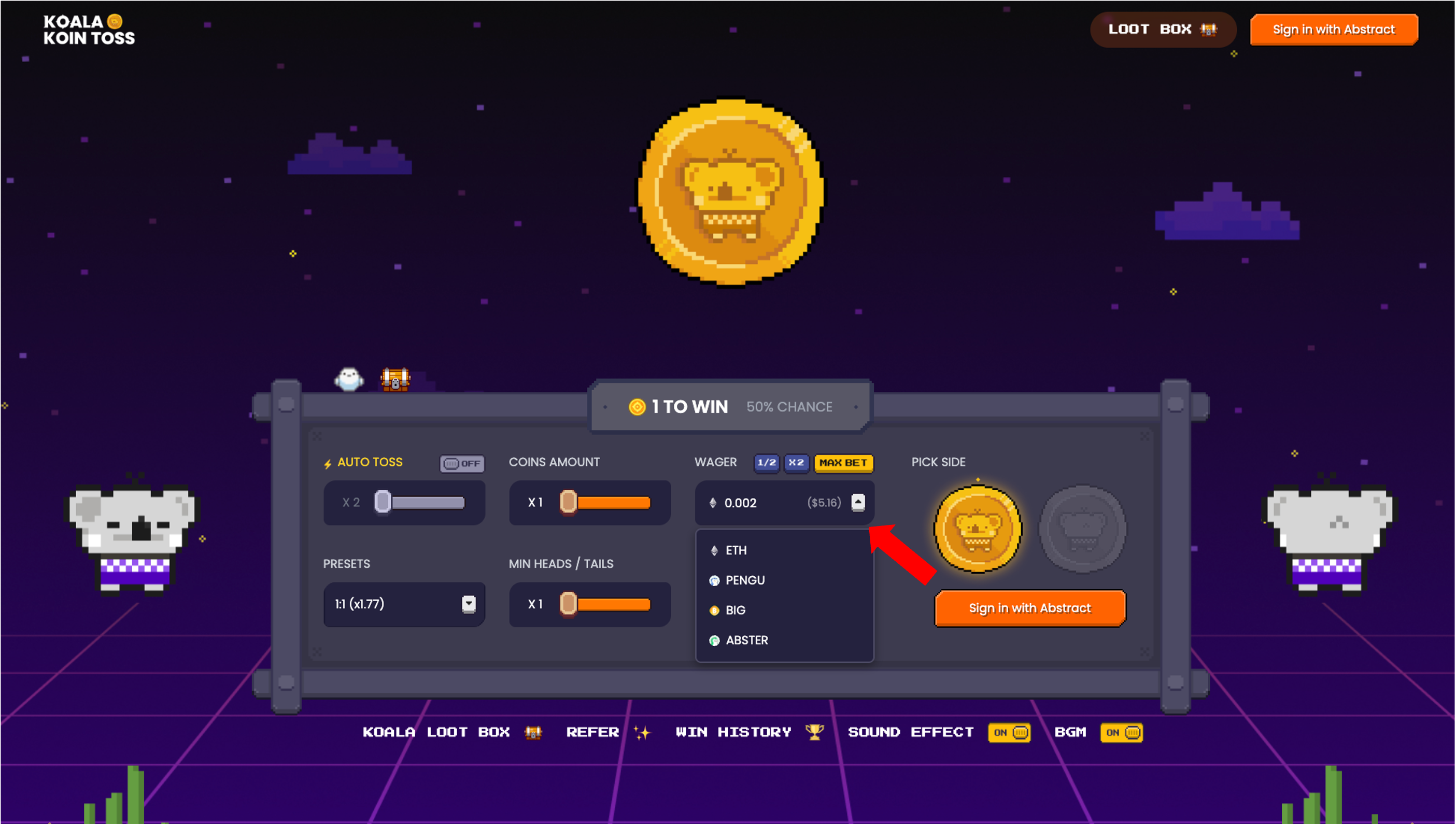
Pick your weapon. Just hit the dropdown button and choose your lucky token.
Step 2. Link Wallet
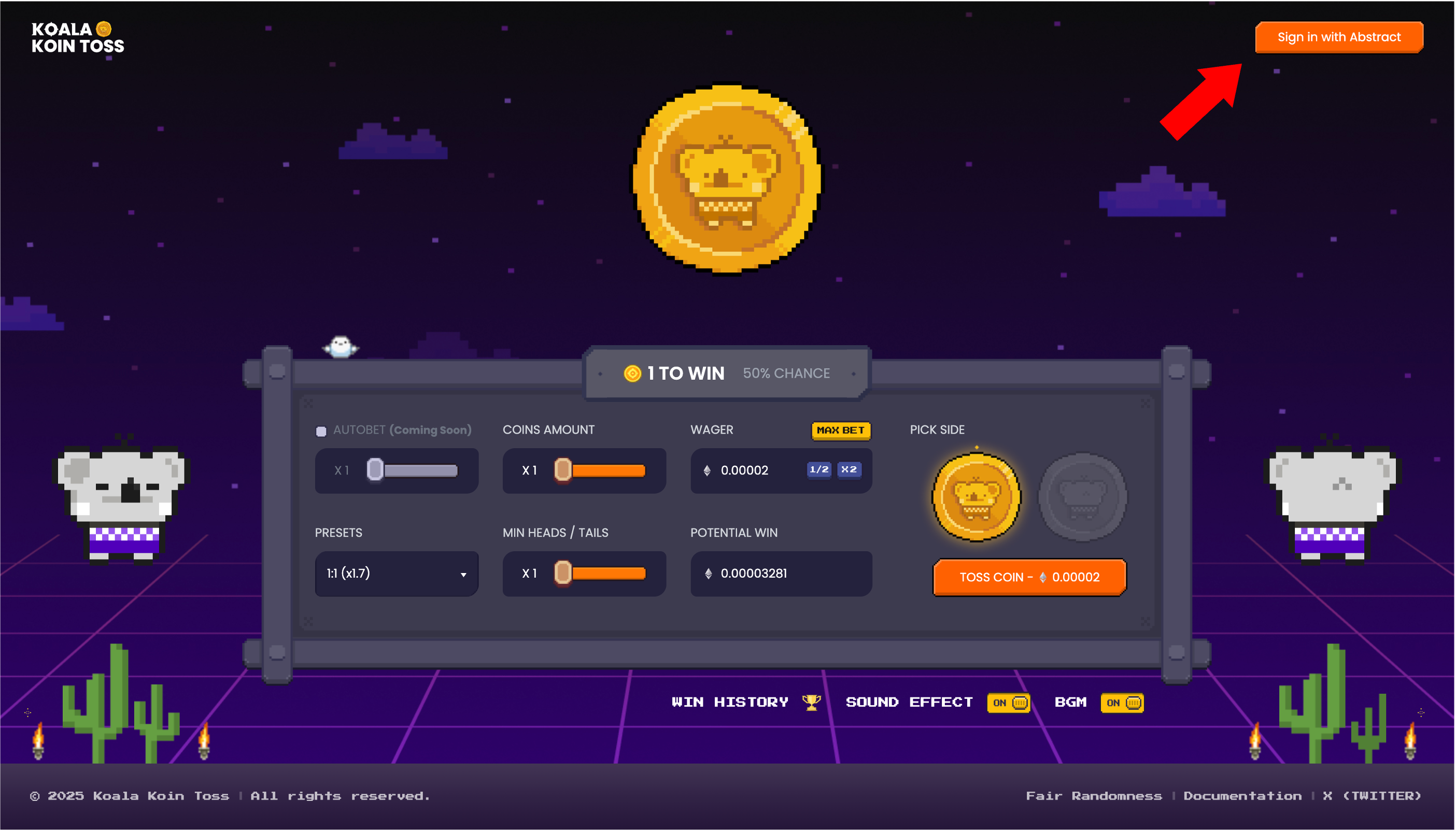
Click the “Sign in with Abstract” button at the top-right corner of the game page to begin.
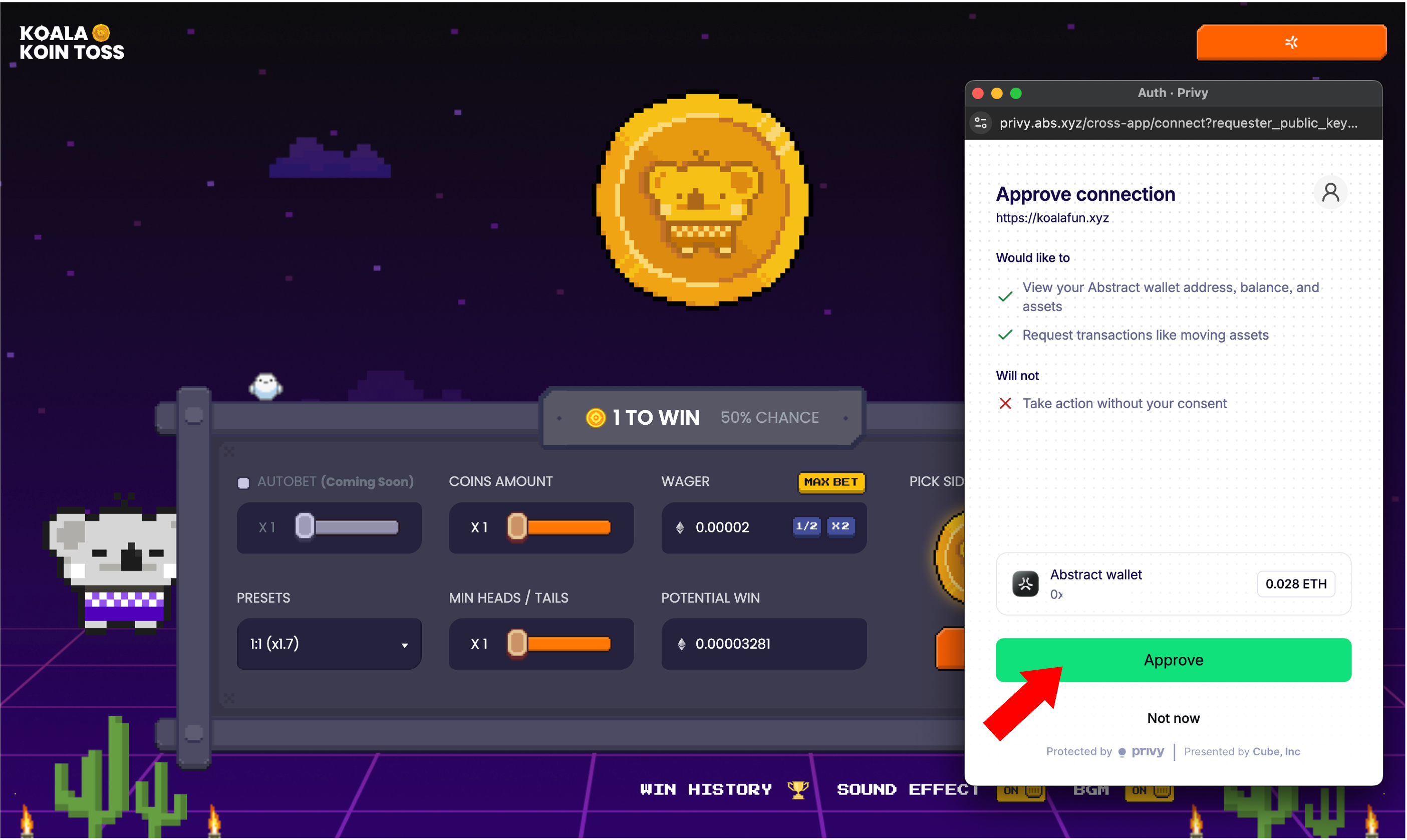
If it’s your first time playing or your session has expired, a wallet approval popup will appear.
Double-check that the wallet address is correct, then click “Approve” to continue.
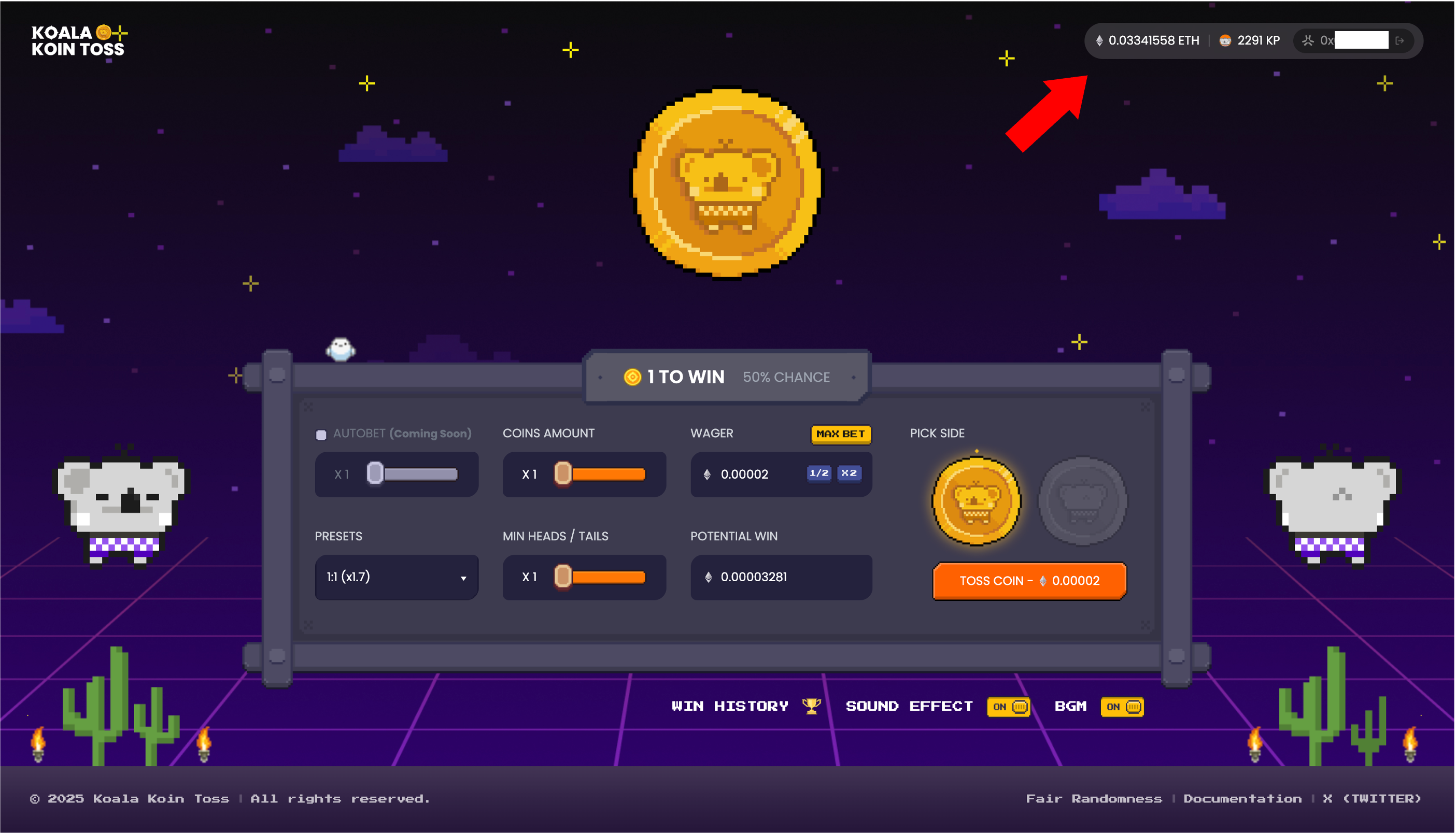
Once approved, you’ll see your ETH balance, Koala Point (KP) balance, and wallet address displayed on the screen.
You’re all set—let the tossing begin!
Step 3. Start Playing
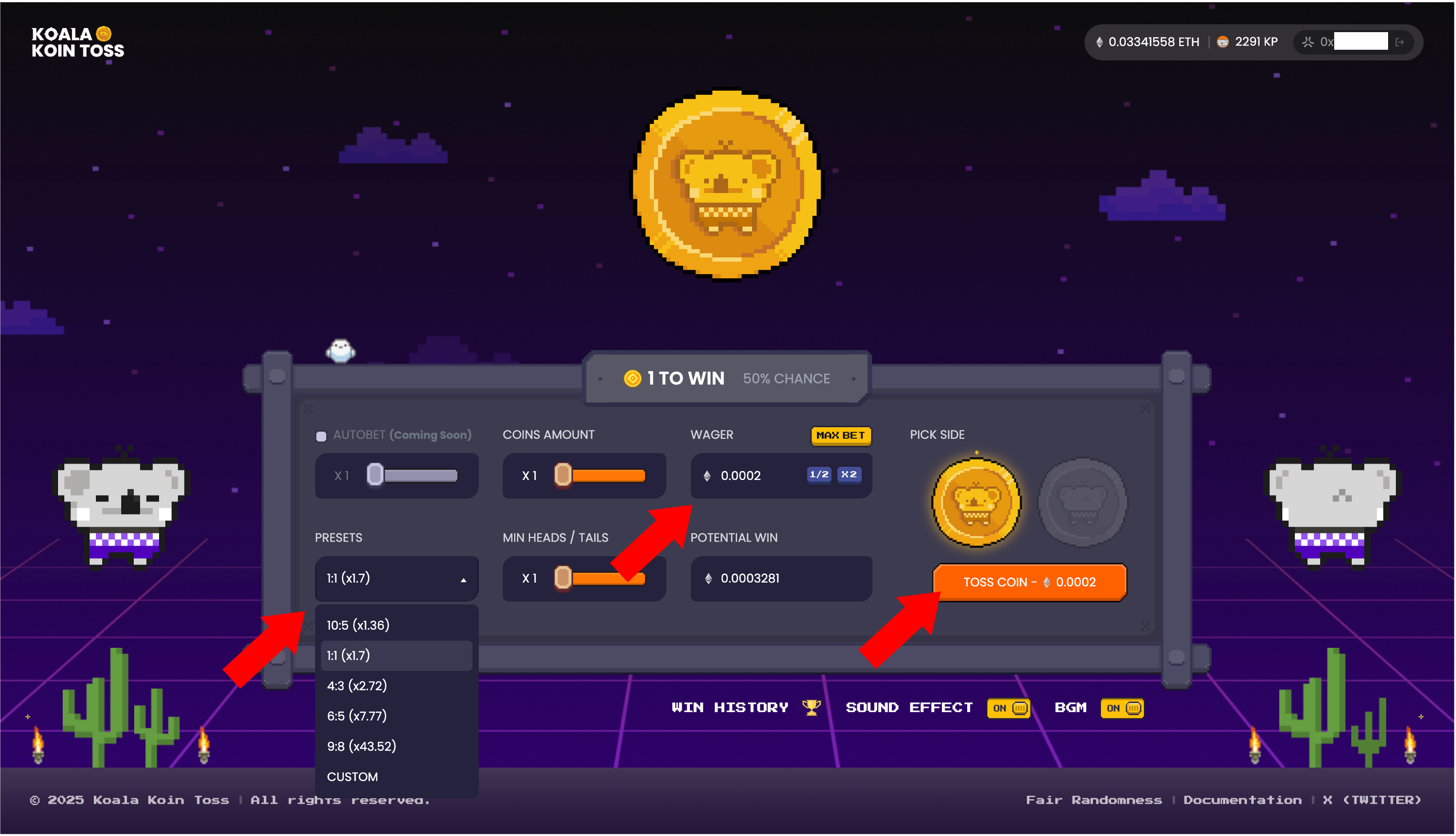
Before tossing the coin, you can customize your game with a few simple options:
PRESETS: Quickly select from popular, ready-made toss configurations.
WAGER: Set how much ETH you want to play with. Minimum and maximum amounts vary depending on your preset.
PICK SIDE: Choose either Heads or Tails—your call!
Once your settings are in place, you’ll see the odds and potential winnings. If everything looks good, click the “TOSS COIN” button to play!
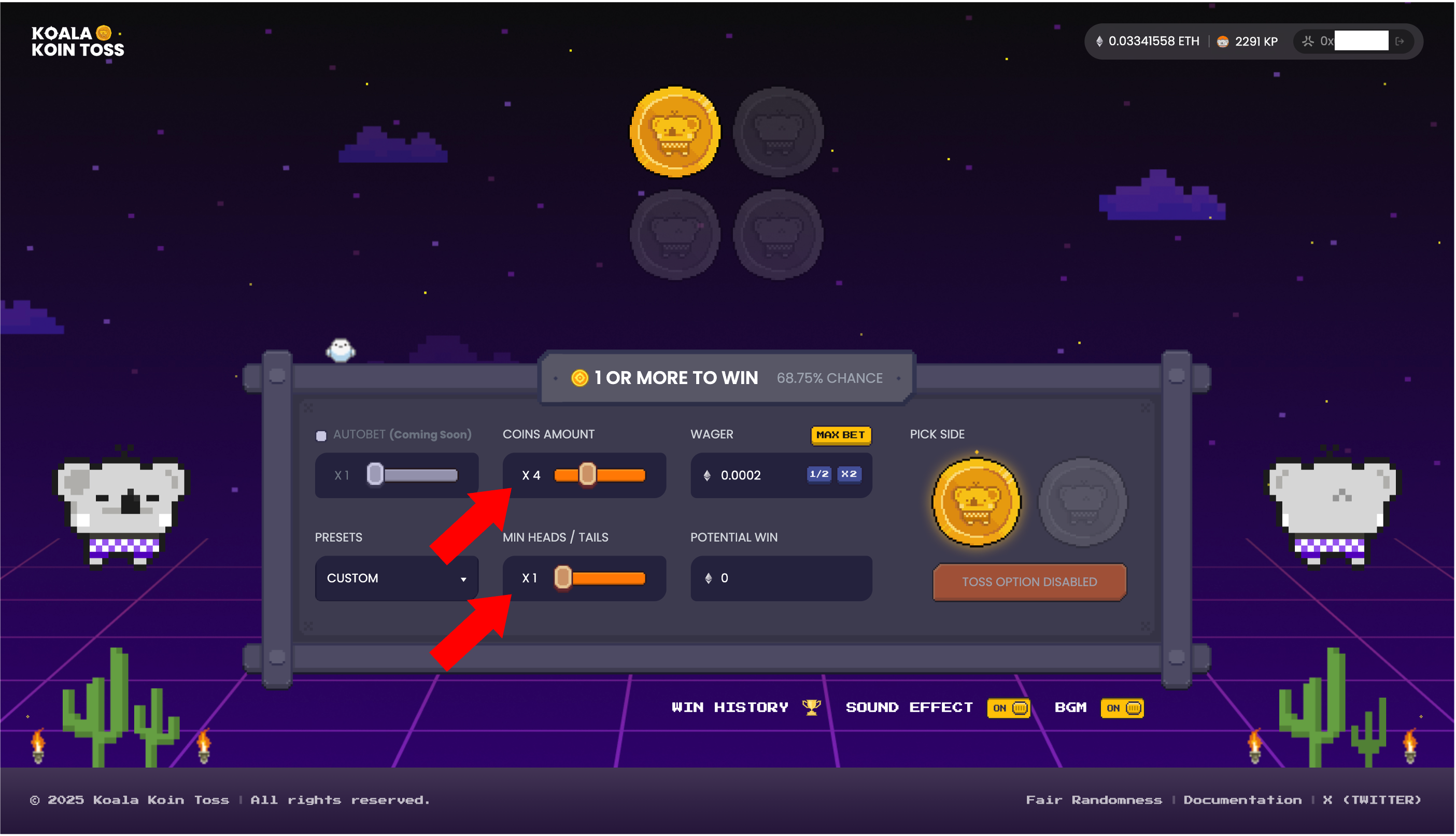
Want to play with your own custom setup? Use the COINS AMOUNT and MIN HEADS/TAILS sliders to fine-tune your combination.
The interface will instantly show your chance of winning and potential reward. If you see “TOSS OPTION DISABLED”, that combo isn’t available right now—try adjusting your settings.
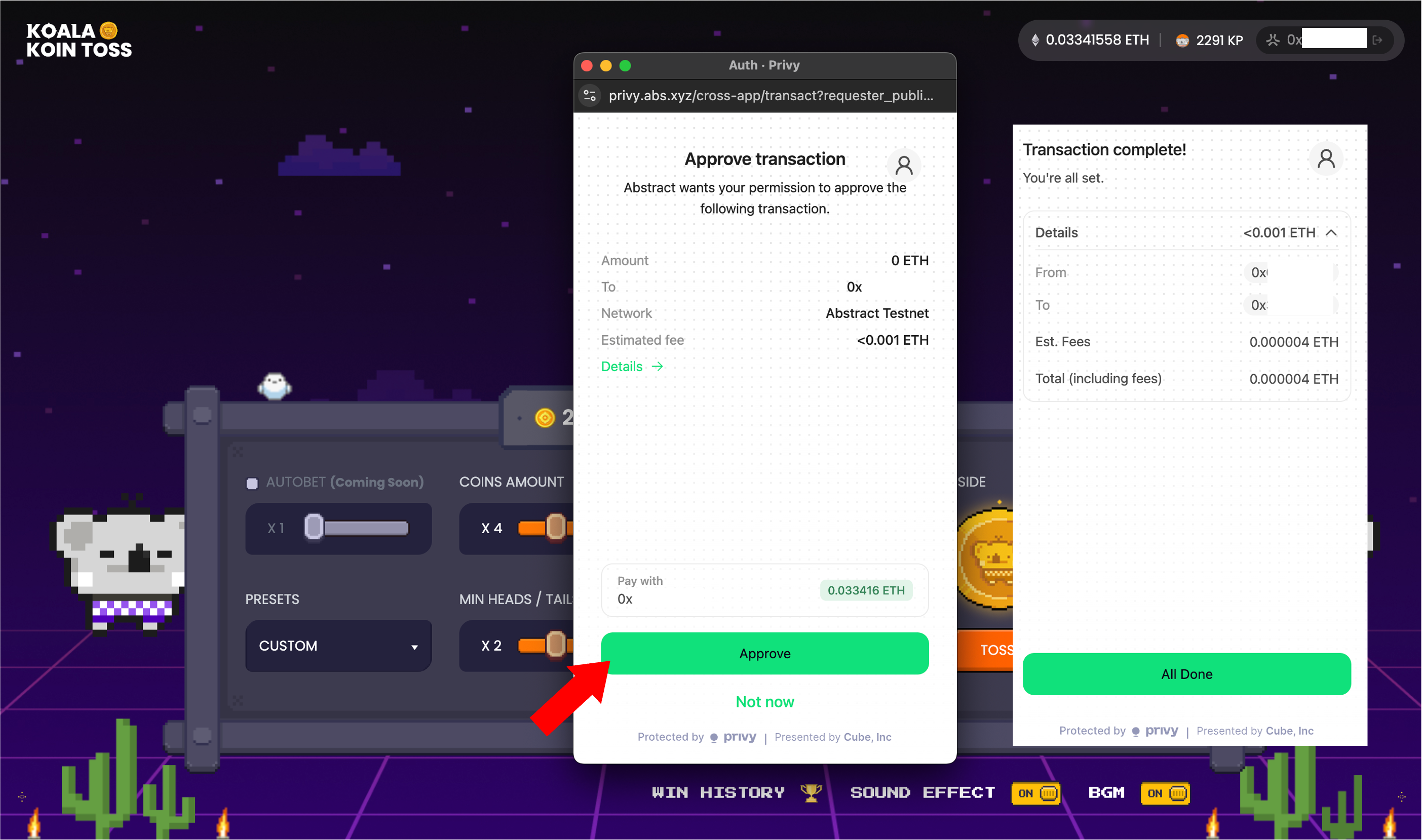
If you haven’t approved the contract yet, a prompt will appear before your first play. Just click “Approve” to continue—and you’re ready to toss!
Step 4. See the Result
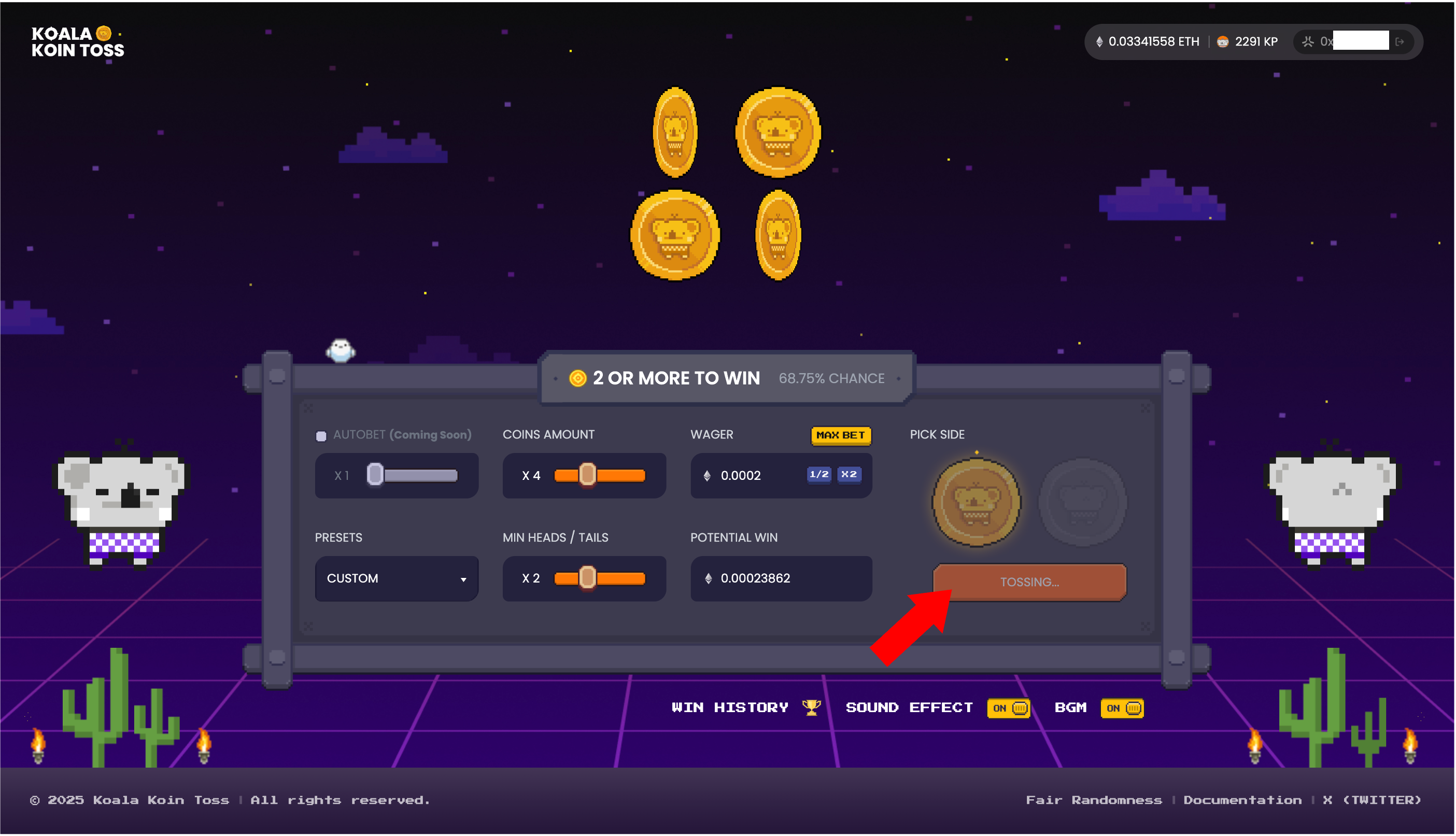
After you click “TOSS COIN”, your transaction will be submitted, and the coins will start spinning—powered by verifiable on-chain randomness.
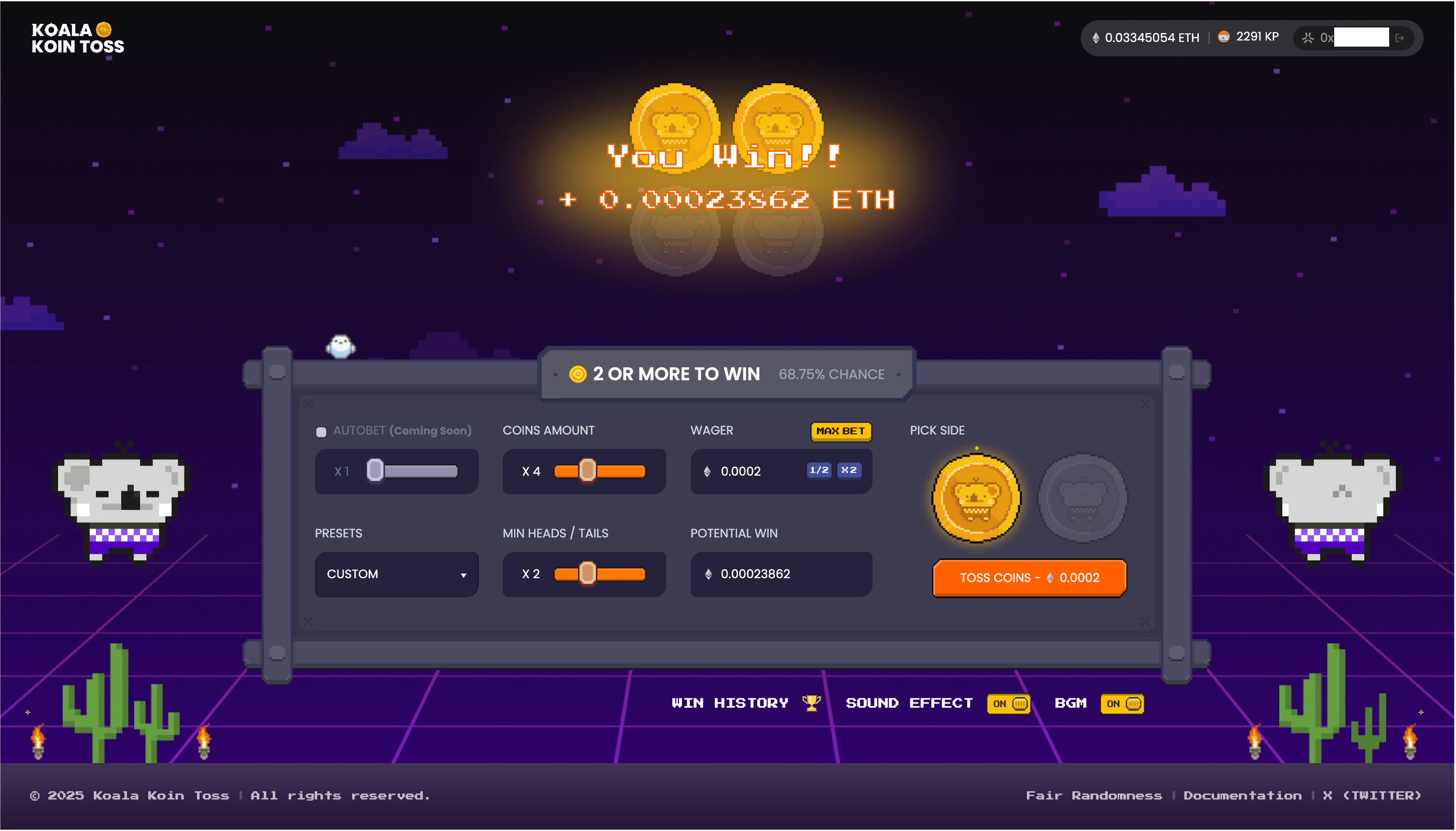
Once the result is confirmed, the outcome will appear on the game screen.
Congrats, you won! 🎉
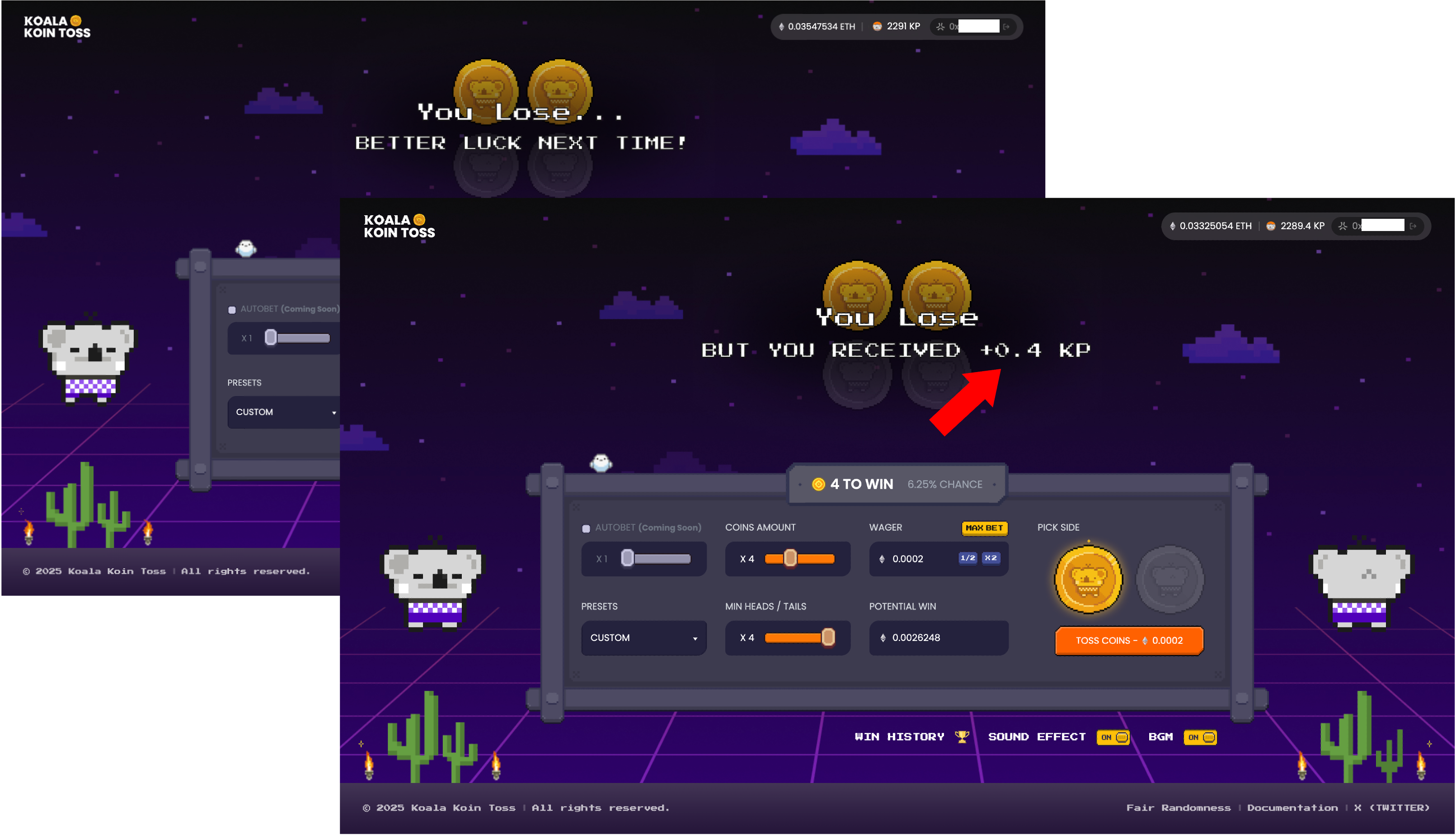
Didn’t win this time? No worries—if Bonus Mode is active, you might still receive a token reward like Koala Points (KP) based on how many coins you’ve tossed.
Even losing can come with a little surprise!
Step 5. Win History
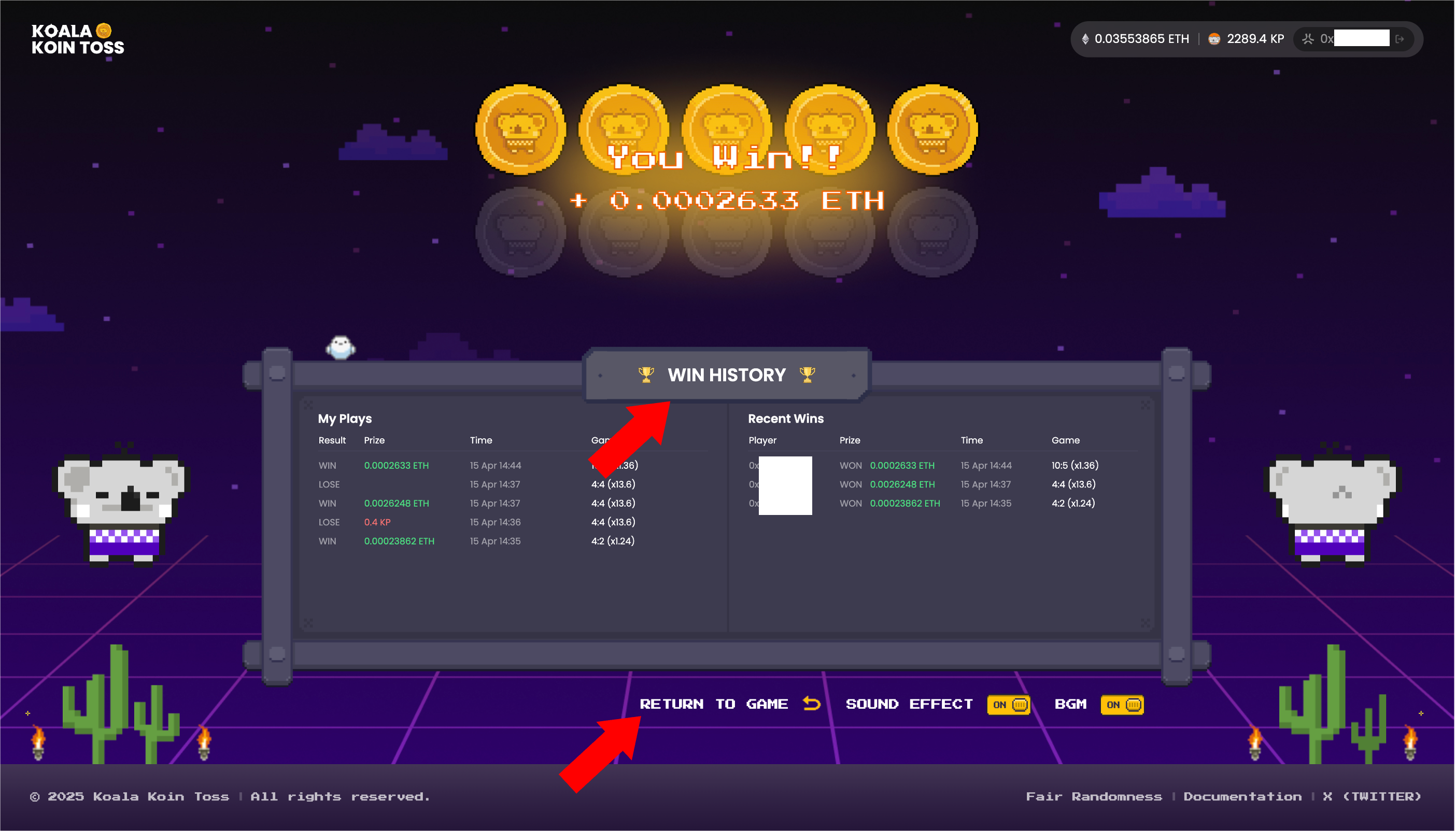
Want to see how lucky you’ve been? Just click the top box or tap the “WIN HISTORY” button at the bottom to open your Win History.
There, you can view your recent plays, wins, and keep track of your tossing streak—all in one place.